PRODUCT DESIGNER
Closing Post-ED follow-up gaps through workflow-first design at Optum
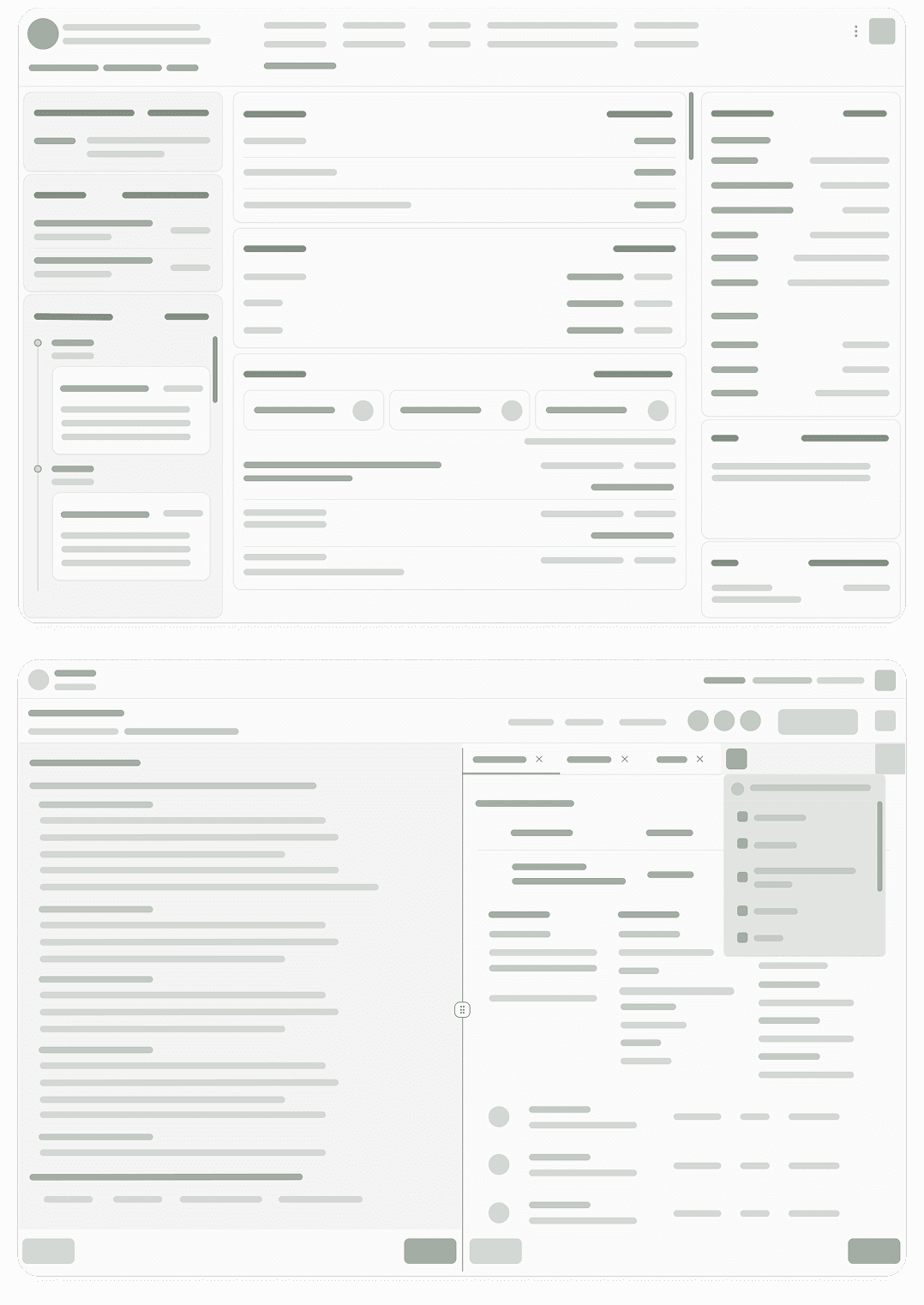
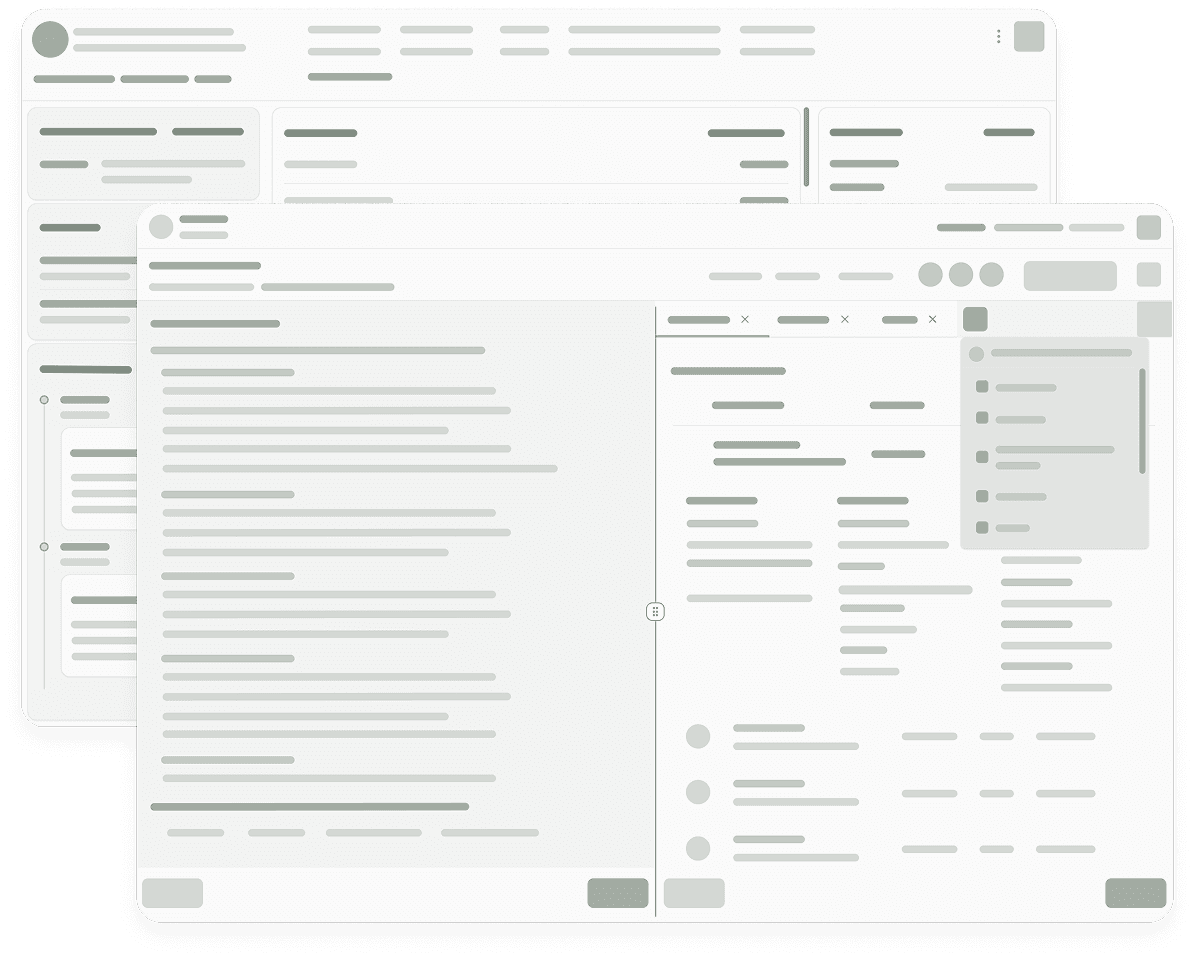
By mapping end-to-end clinician workflows and synthesizing touch points from multiple tools, I designed a cohesive experience that reduced context switching and helped case managers form a clear mental model of the patient—improving speed, confidence, and continuity of care.

PRODUCT DESIGNER
Closing Post-ED follow-up gaps through workflow-first design at Optum
By mapping end-to-end clinician workflows and synthesizing touch points from multiple tools, I designed a cohesive experience that reduced context switching and helped case managers form a clear mental model of the patient—improving speed, confidence, and continuity of care.
PRODUCT DESIGNER
Closing Post-ED follow-up gaps through workflow-first design at Optum
By mapping end-to-end clinician workflows and synthesizing touch points from multiple tools, I designed a cohesive experience that reduced context switching and helped case managers form a clear mental model of the patient—improving speed, confidence, and continuity of care.
THE PROBLEM
Context
Clinicians at Optum described the Clinical Platform as fragmented, unintuitive, and inconsistent across tools and workflows.
This disjointed experience slowed critical decision-making and increased risk in patient care by compounding cognitive load and clinician fatigue.
“I don’t need more functionality — I just need to do my task in fewer clicks.”

CARE MANAGER | MARY HARPER
THE PROBLEM
Context
Clinicians at Optum described the Clinical Platform as fragmented, unintuitive, and inconsistent across tools and workflows.
This disjointed experience slowed critical decision-making and increased risk in patient care by compounding cognitive load and clinician fatigue.
“I don’t need more functionality — I just need to do my task in fewer clicks.”
CARE MANAGER | MARY HARPER
THE PROBLEM
Context
Clinicians at Optum described the Clinical Platform as fragmented, unintuitive, and inconsistent across tools and workflows.
This disjointed experience slowed critical decision-making and increased risk in patient care by compounding cognitive load and clinician fatigue.
“I don’t need more functionality — I just need to do my task in fewer clicks.”
CARE MANAGER | MARY HARPER
THE RESEARCH
Methods
I conducted user interviews with five Optum case managers, shadowed their workflows, and mapped out common pain points to get a first-hand understanding of the clinician experience.I also held stakeholder interviews to gather technical and business constraints and limitations.
Insights
I discovered that clinicians were switching between as many as ten different tools to complete routine tasks. Why?The root cause: the platform prioritized isolated features over end-to-end clinical workflow, driven by silos between product teams.
3. Evidence
A. Fragmented information access
Nurses must navigate across multiple pages and products to find relevant member data, causing inefficiency and cognitive load.
Finding 1 of 4


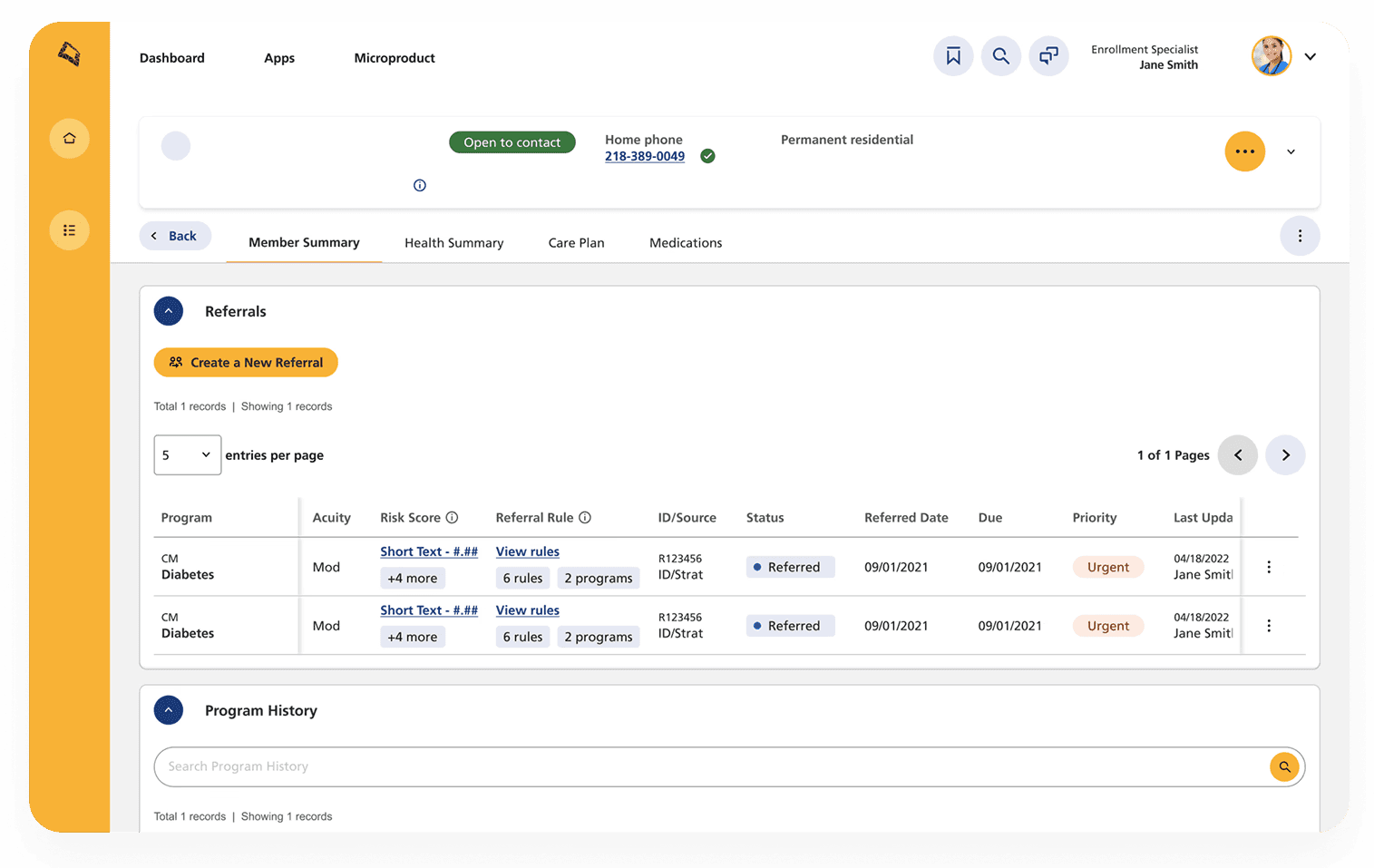
Nurse scrolls through multiple pages and products to gather relevant member information
THE RESEARCH
Methods
I conducted user interviews with five Optum case managers, shadowed their workflows, and mapped out common pain points to get a first-hand understanding of the clinician experience.I also held stakeholder interviews to gather technical and business constraints and limitations.
Insights
I discovered that clinicians were switching between as many as ten different tools to complete routine tasks. Why?The root cause: the platform prioritized isolated features over end-to-end clinical workflow, driven by silos between product teams.
3. Evidence
A. Fragmented information access
Nurses must navigate across multiple pages and products to find relevant member data, causing inefficiency and cognitive load.
Finding 1 of 4
Nurse scrolls through multiple pages and products to gather relevant member information
THE RESEARCH
Methods
I conducted user interviews with five Optum case managers, shadowed their workflows, and mapped out common pain points to get a first-hand understanding of the clinician experience.I also held stakeholder interviews to gather technical and business constraints and limitations.
Insights
I discovered that clinicians were switching between as many as ten different tools to complete routine tasks. Why?The root cause: the platform prioritized isolated features over end-to-end clinical workflow, driven by silos between product teams.
A. Fragmented information access
Nurses must navigate across multiple pages and products to find relevant member data, causing inefficiency and cognitive load.
Finding 1 of 4
3. Evidence
Nurse scrolls through multiple pages and products to gather relevant member information
B. Loss of context while documenting
Clinicians can’t reference the care plan or member information while entering notes, disrupting workflow and increasing the risk of errors.
Finding 2 of 4
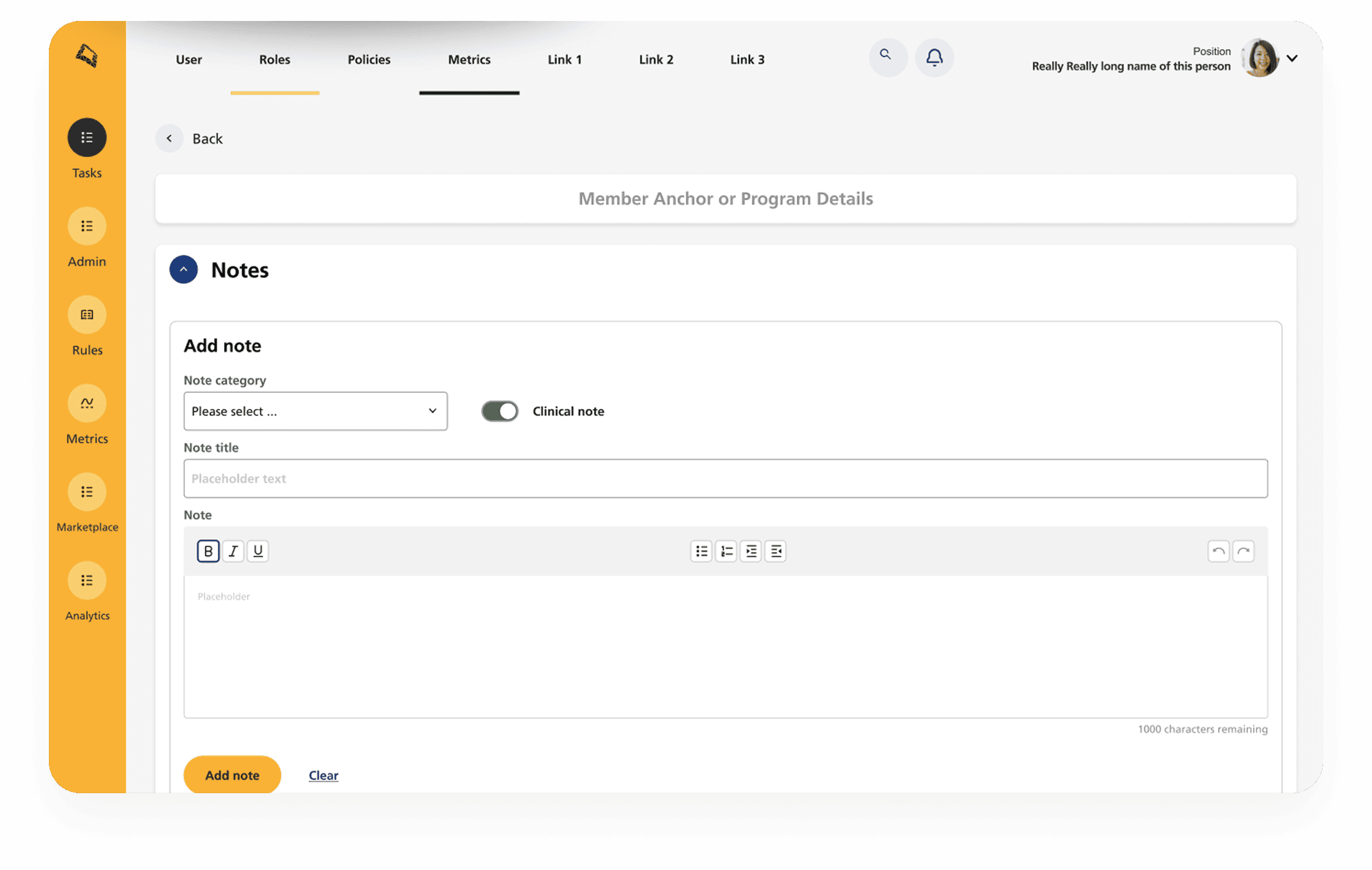
Clinician loses reference of Care Plan and member information while documenting in Notes.
C. Obstructive UI elements
The call modal and side sheets block critical information needed to complete tasks, forcing users to work around the interface.
Finding 3 of 4
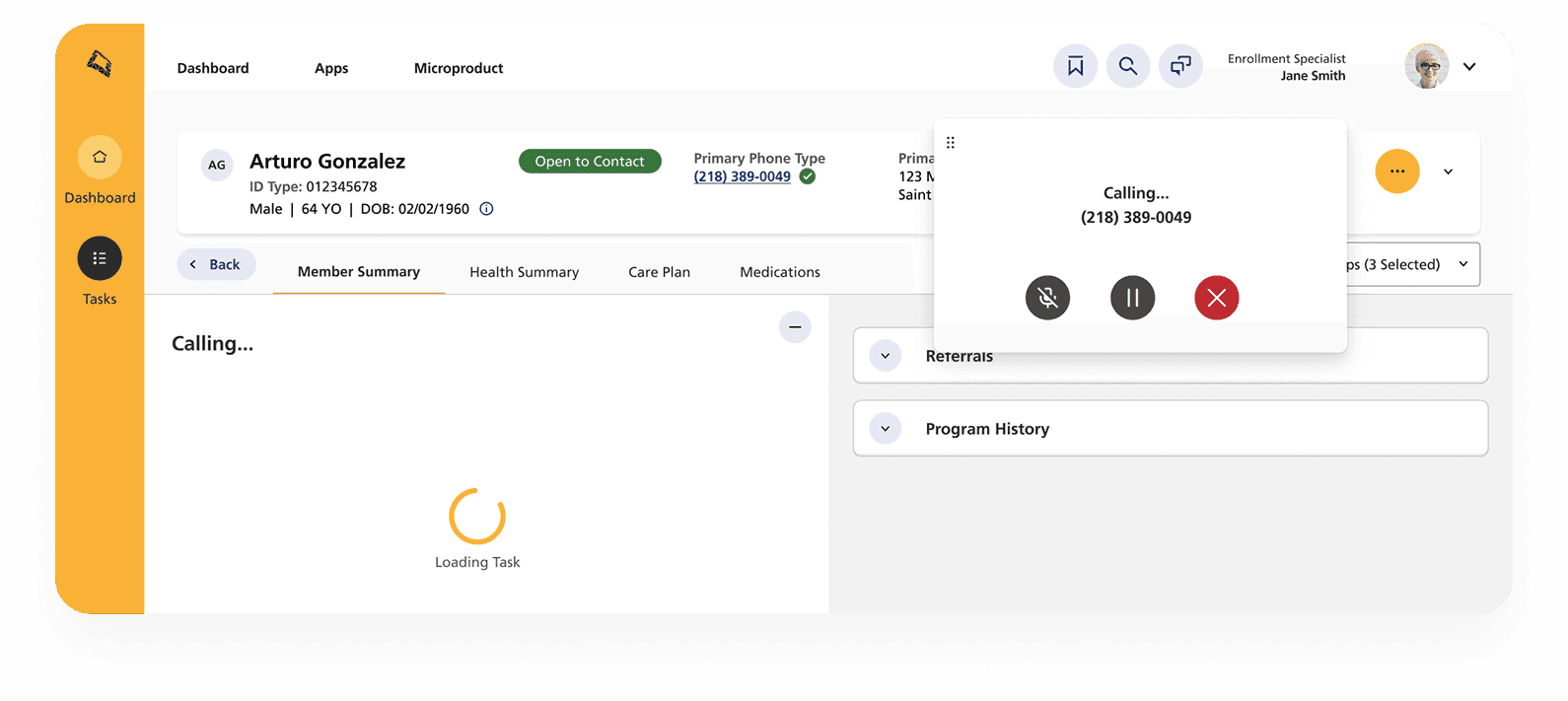
Side sheet blocks reference information needed to complete form
Call modal blocks member information that must always be visible
D. Inconsistent design patterns
Some products are outdated and no longer align with the design system (Netra Design System), leading to inconsistencies across the experience.
Finding 4 of 4
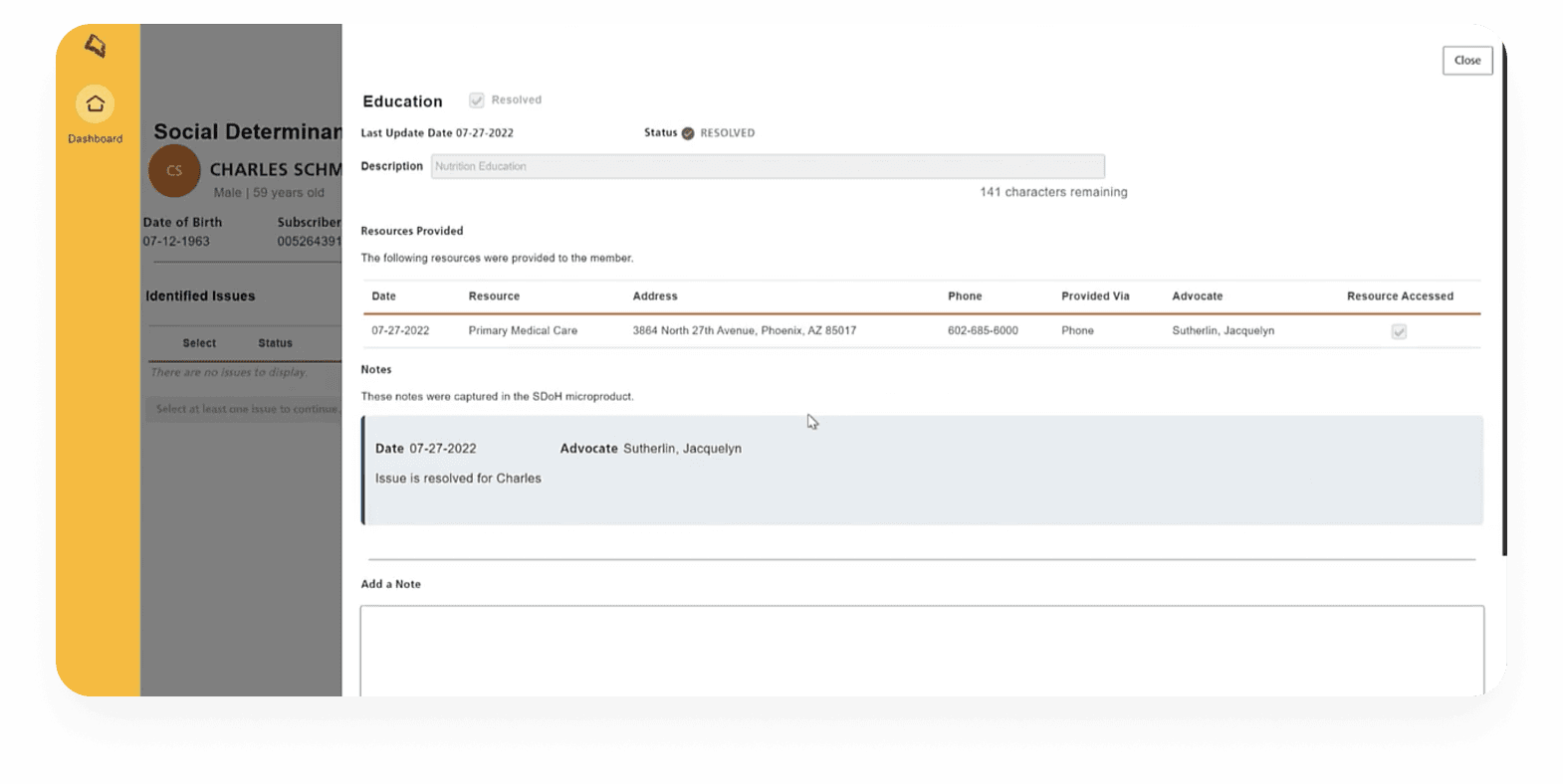
Some products are out of date and do not match the enterprise design system
THE APPROACH
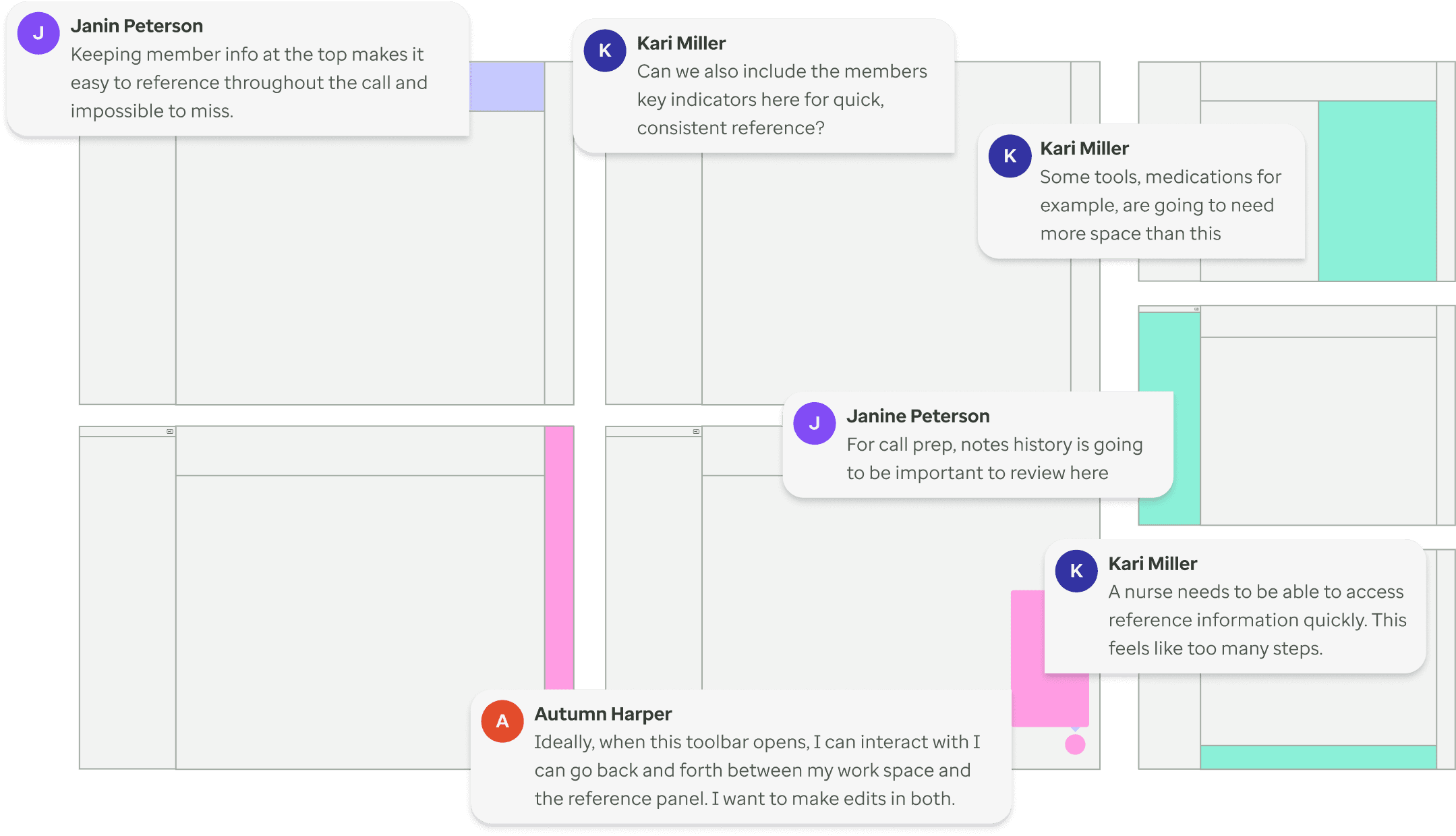
Co-designing with clinicians
Partnered with nurses, directors, and administrators to co-create solutions—testing iterations weekly and establishing standardized UI templates and patterns to ensure designs stayed aligned to real clinician workflows.
Finding 1 of 3


THE APPROACH
Co-designing with clinicians
Partnered with nurses, directors, and administrators to co-create solutions—testing iterations weekly and establishing standardized UI templates and patterns to ensure designs stayed aligned to real clinician workflows.
Finding 1 of 3
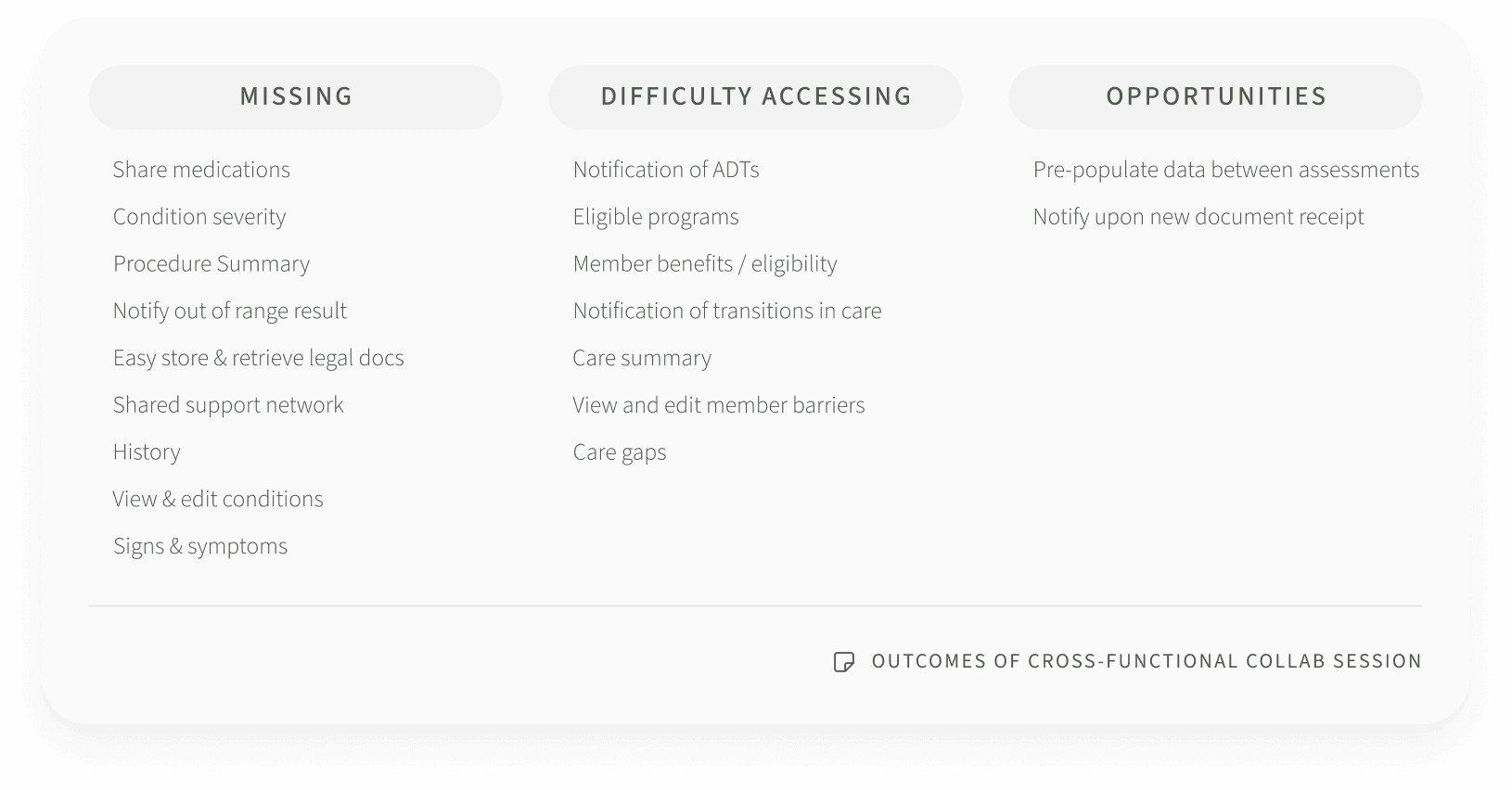
Cross-functional collaboration
Partnered closely with data engineers, developers, and product owners to align on technical constraints, feasibility, and business needs—ensuring each design iteration was both user-centered and buildable.
Finding 2 of 3
Inclusive from the start
I also embedded accessibility from the start, helping product teams adopt more inclusive patterns, including:Providing accessibility guidelines for page buildingIncluding tooltip in focus statesEnsuring color contrast for non-decorative elementsCorrect use of headers embedded into template
Finding 3 of 3

THE SOLUTION
Member profile
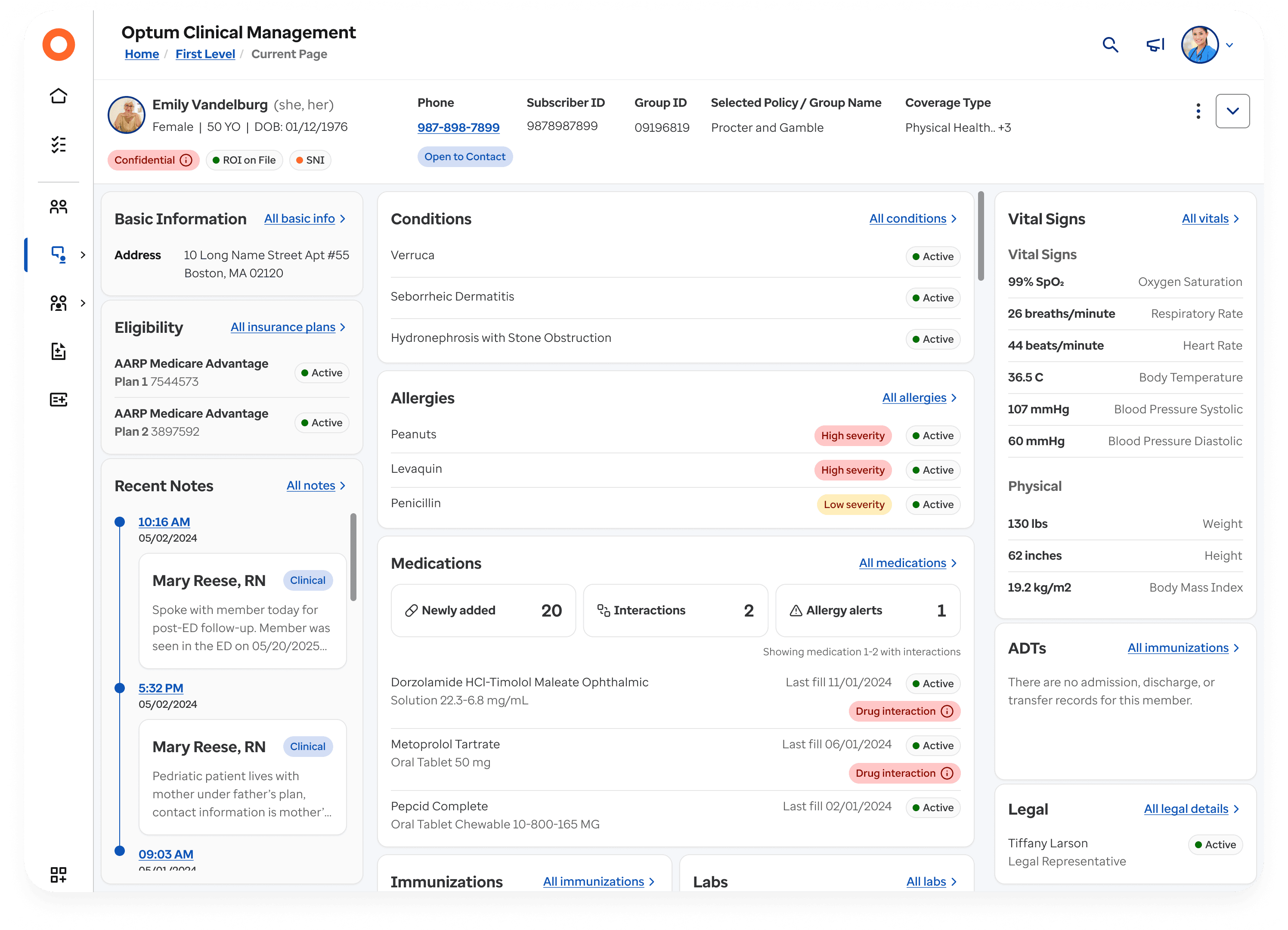
Feature 1 of 4
Member profile
MEMBER PROFILE
1. Member banner
At-a-glance — name, DOB, and key ID info are always visible
Designed for scanning — layout emphasizes what clinicians need first, without digging
Progressive disclosure — collapsible, with primary information upfront
1 out of 3 features

Member banner
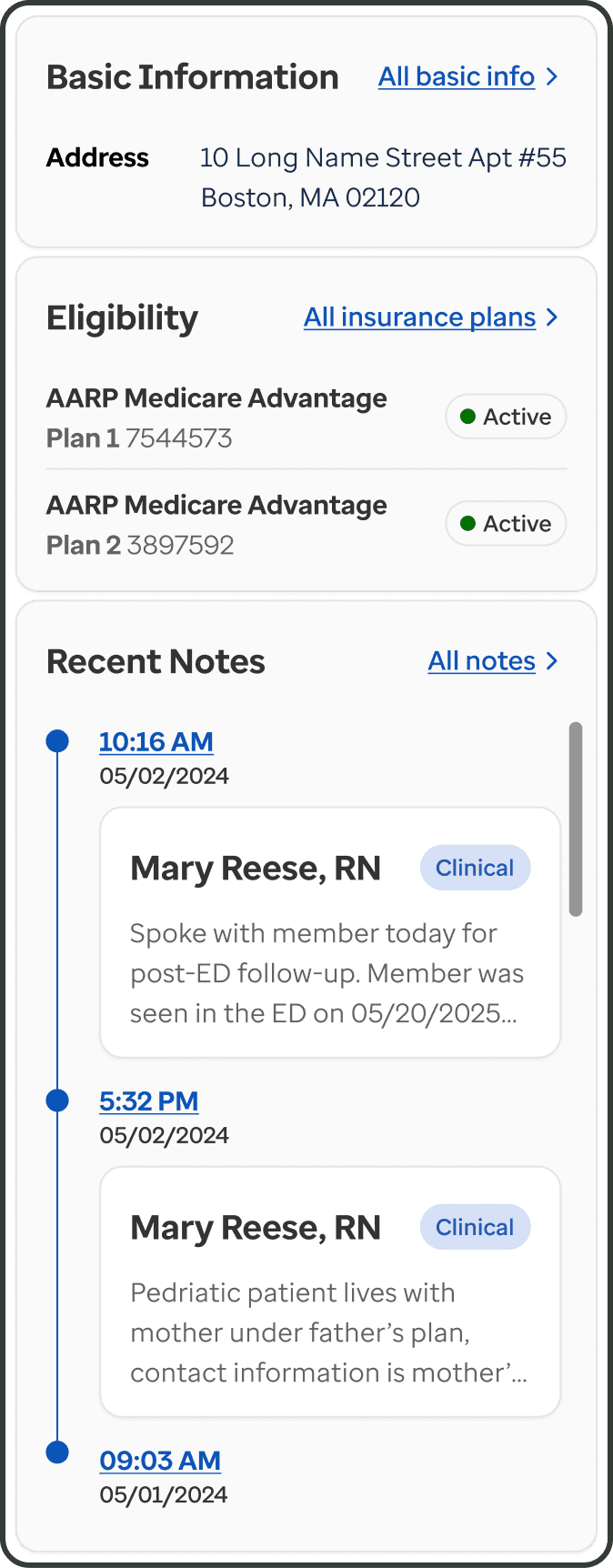
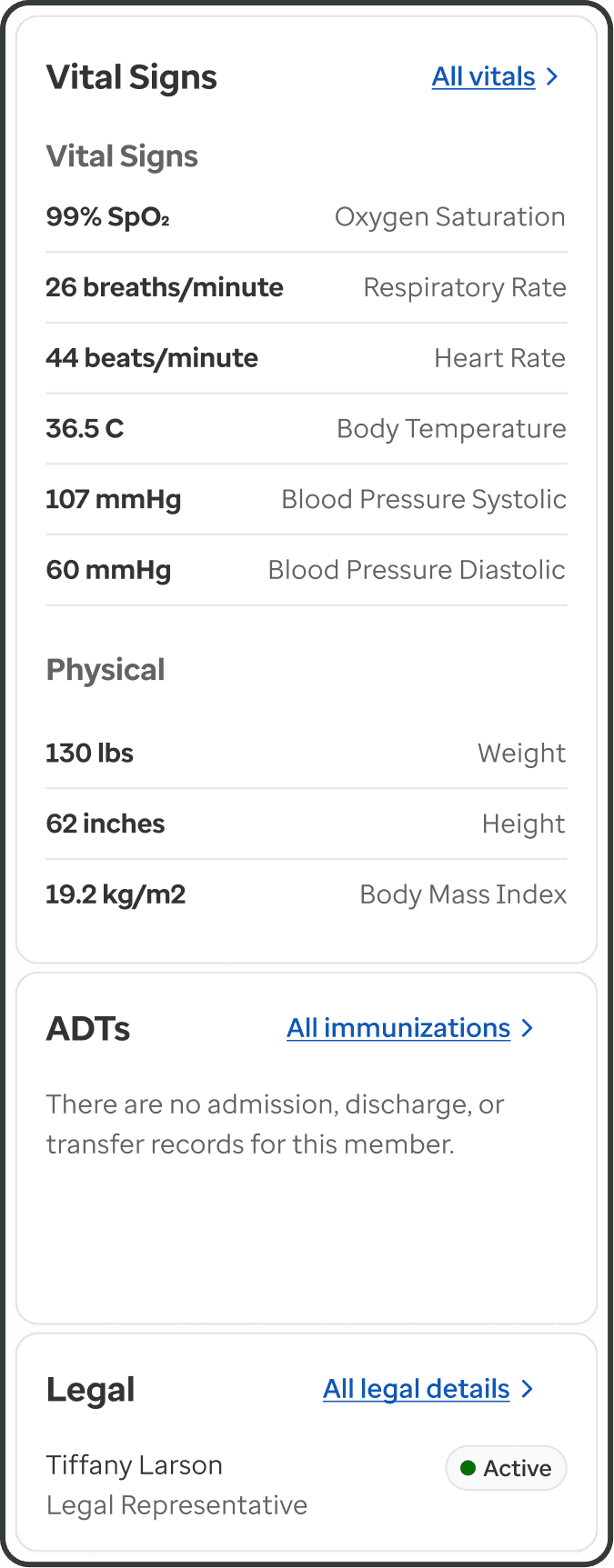
Basic and Reference information
MEMBER PROFILE
2. Member summary (1/2)
Basic info (left) — holds additional crucial member info & recent notes
Reference information (right) — vitals and ADTs persistent, easy to scan
2 out of 3 features
MEMBER PROFILE
Member summary (2/2)
Main summary area (middle) — recent / active conditions, allergies, medications, etc.
3 out of 3 features
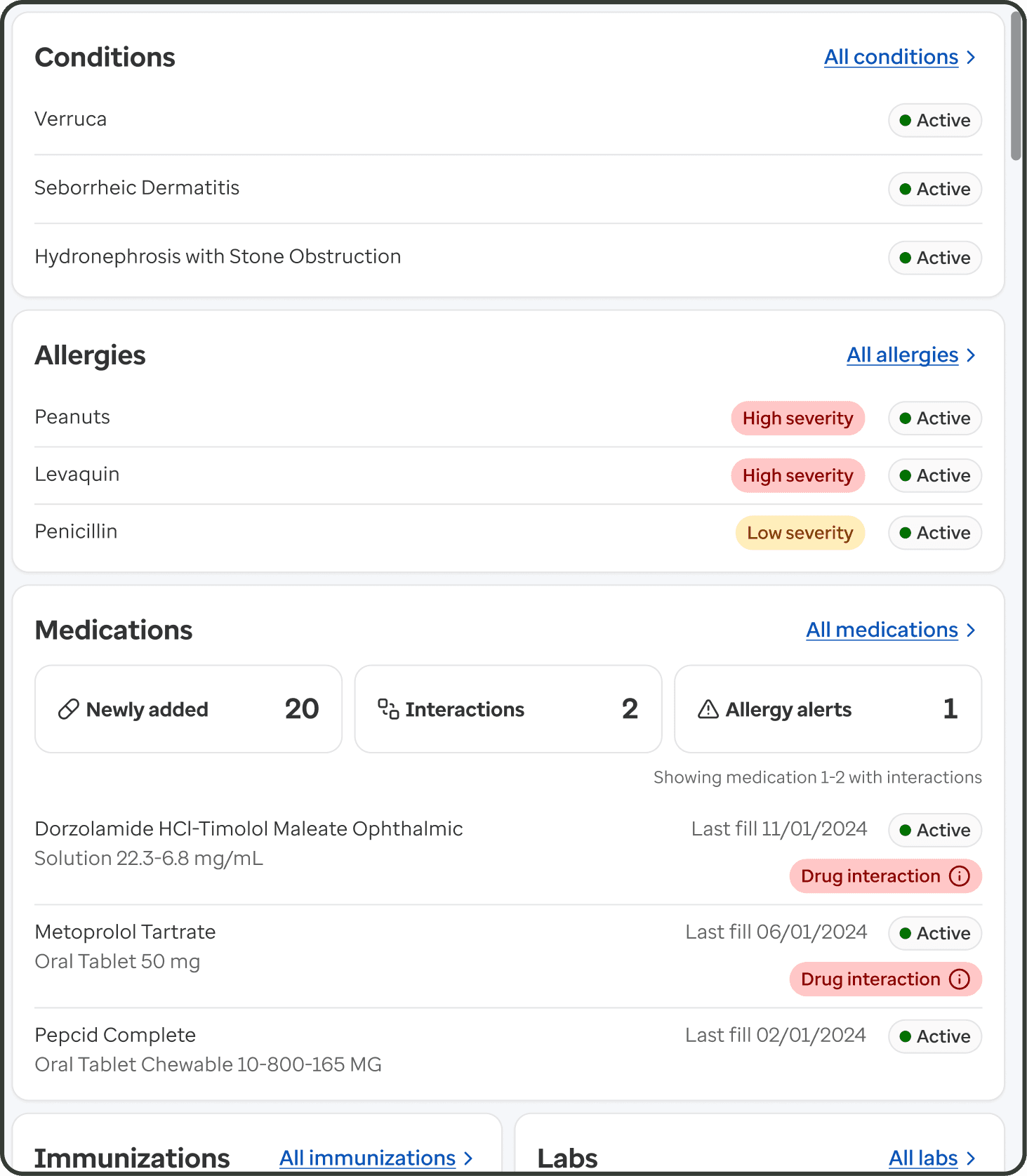
Main summary
Main workspace
Feature 1 of 5
Main workspace
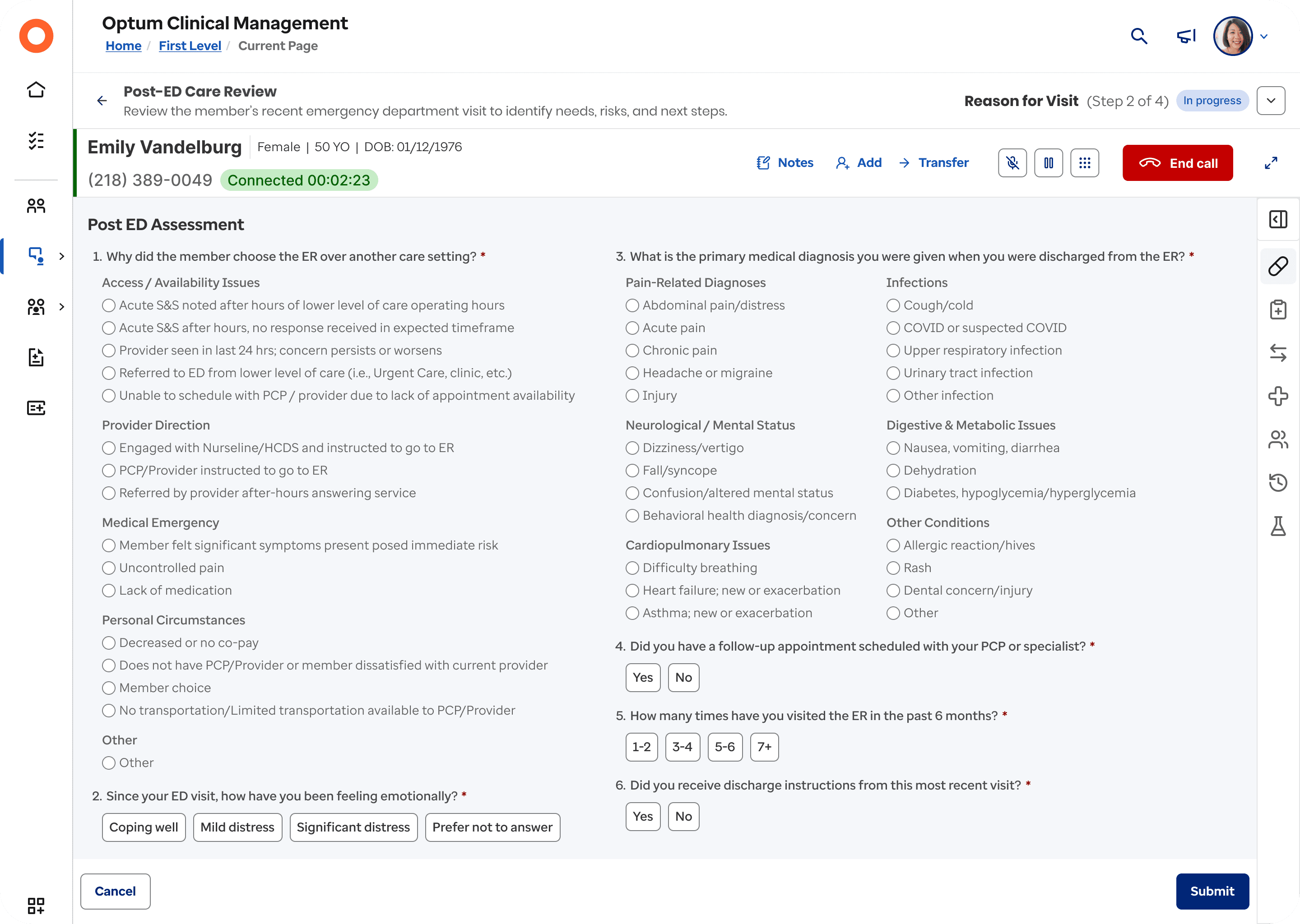
MAIN WORKSPACE
Page header
Displays current and total workflow step(s) for context
Progressive disclosure —collapsible, keeps focus on the task while allowing step review with one click
1 out of 5 features

Header
MAIN WORKSPACE
Call bar
Member name and date of birth always visible throughout workflow
Related actions grouped to improve scan-ability
2 out of 5 features

Call bar
MAIN WORKSPACE
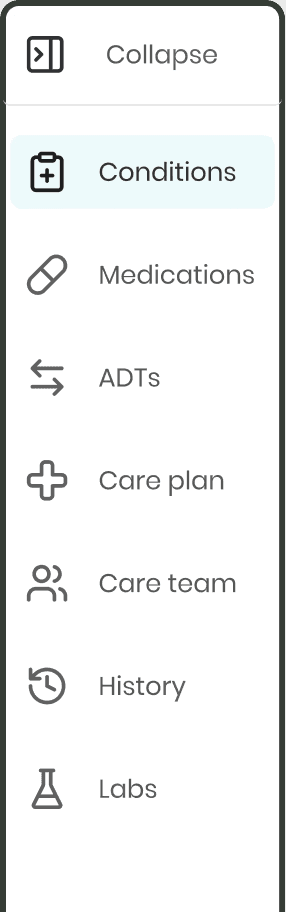
Tool bar
One-click access to reference info from the member summary
Labels appear on hover — improves clarity without visual clutter
4 out of 5 features
Tool bar
MAIN WORKSPACE
Footer
Keeps actions within reach — Primary and secondary actions for current step in workflow always available in sticky footer
5 out of 5 features

Footer
MAIN WORKSPACE
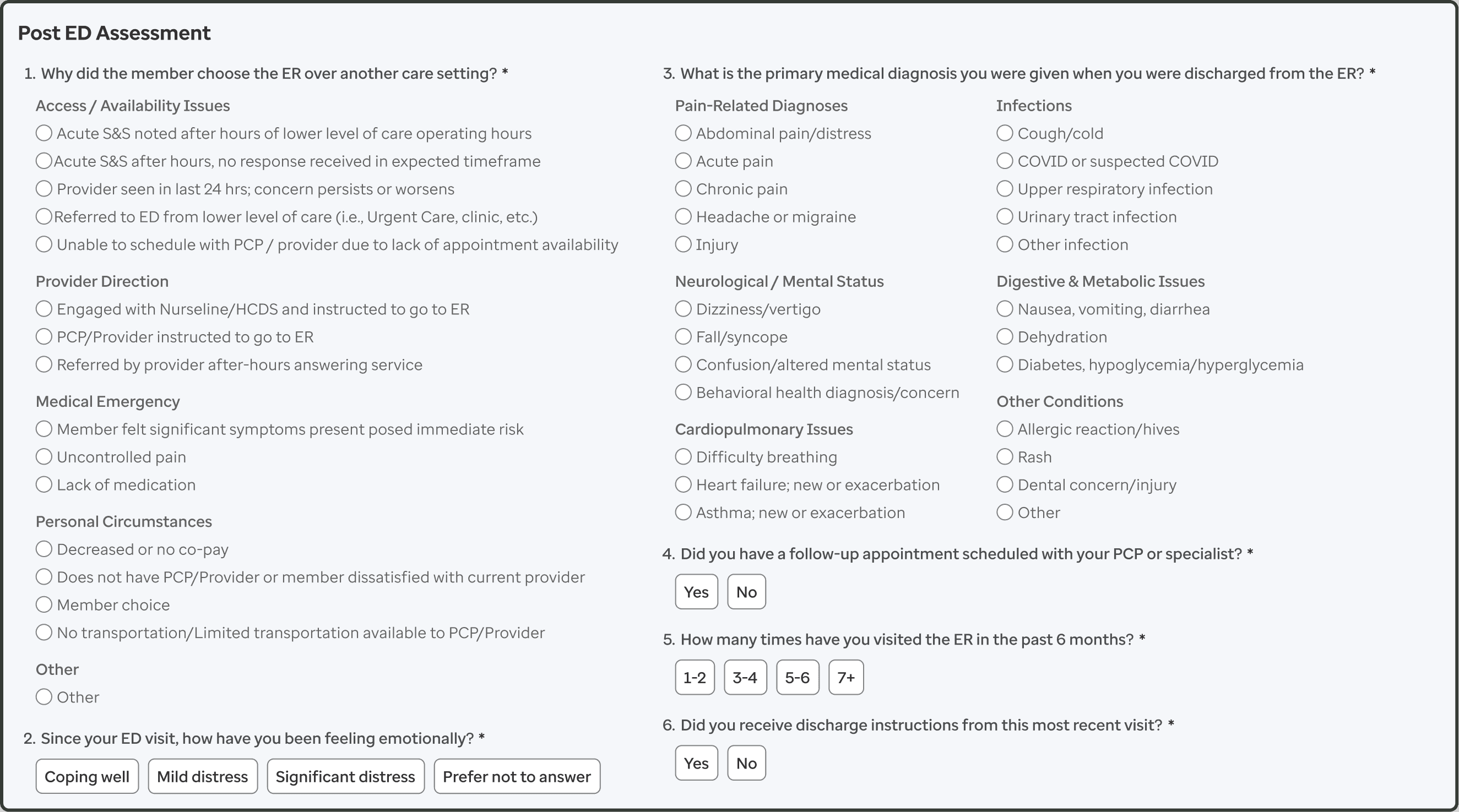
Main workspace
Accommodates single or multi-column layout
Minimizes distractions so clinicians can focus on the task at hand
3 out of 5 features
Main workspace
Split screen
Feature 1 of 2
Split screen
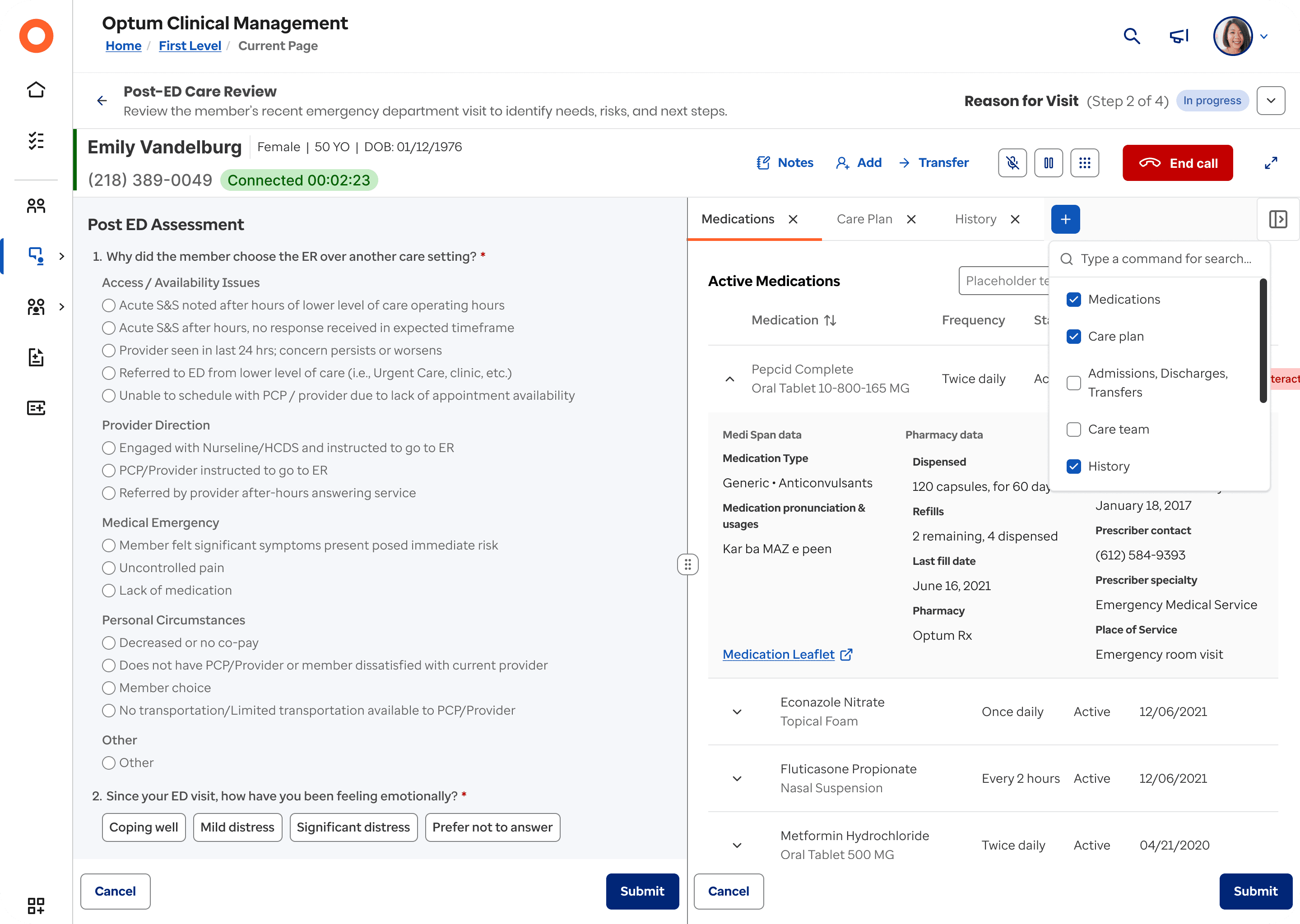
SPLIT SCREEN
Tabs
Enables quick reference to multiple categories of member info
Reduces visual clutter without interrupting task flow, using a + button to add tabs as needed
1 out of 2 features
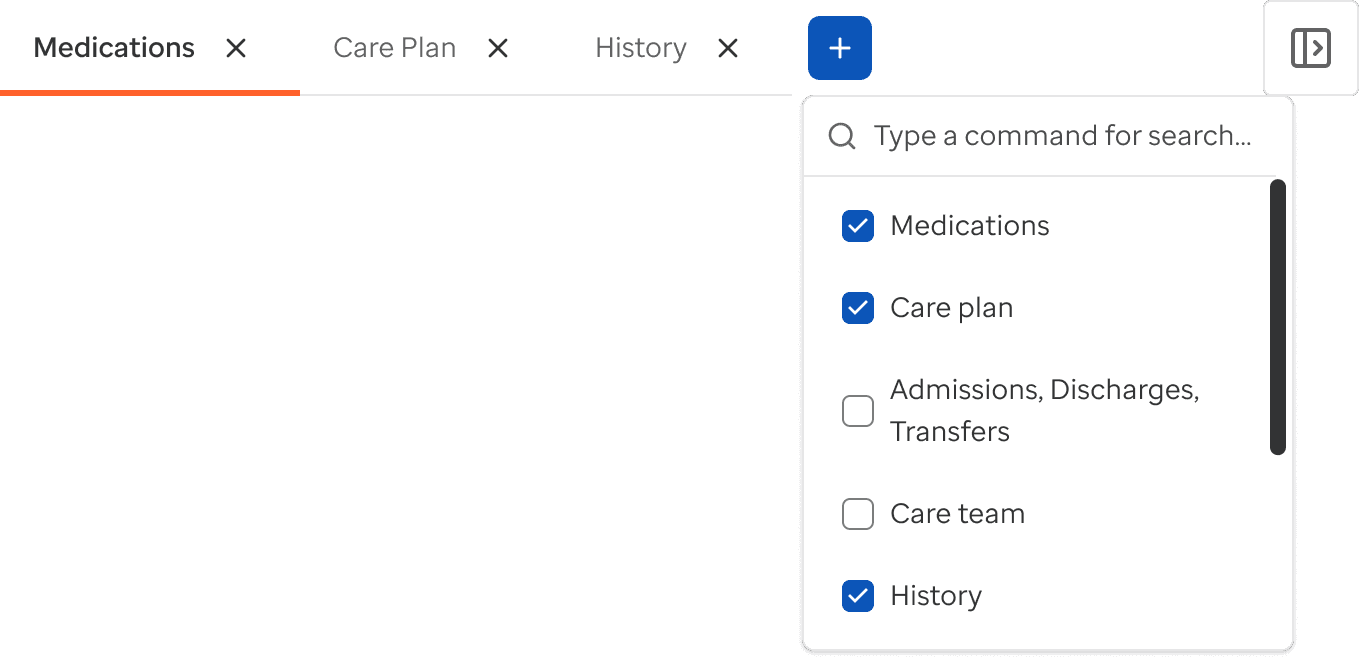
Tabs with combobox
SPLIT SCREEN
2. Drag handle
Hover reveals “drag” instructions, addressing usability issues surfaced in testing, making the interaction intuitive for all users
Tap target meets minimum size (24x24) for easy clinician interaction
Interactive line is high-contrast, improving visibility for all users
2 out of 2 features
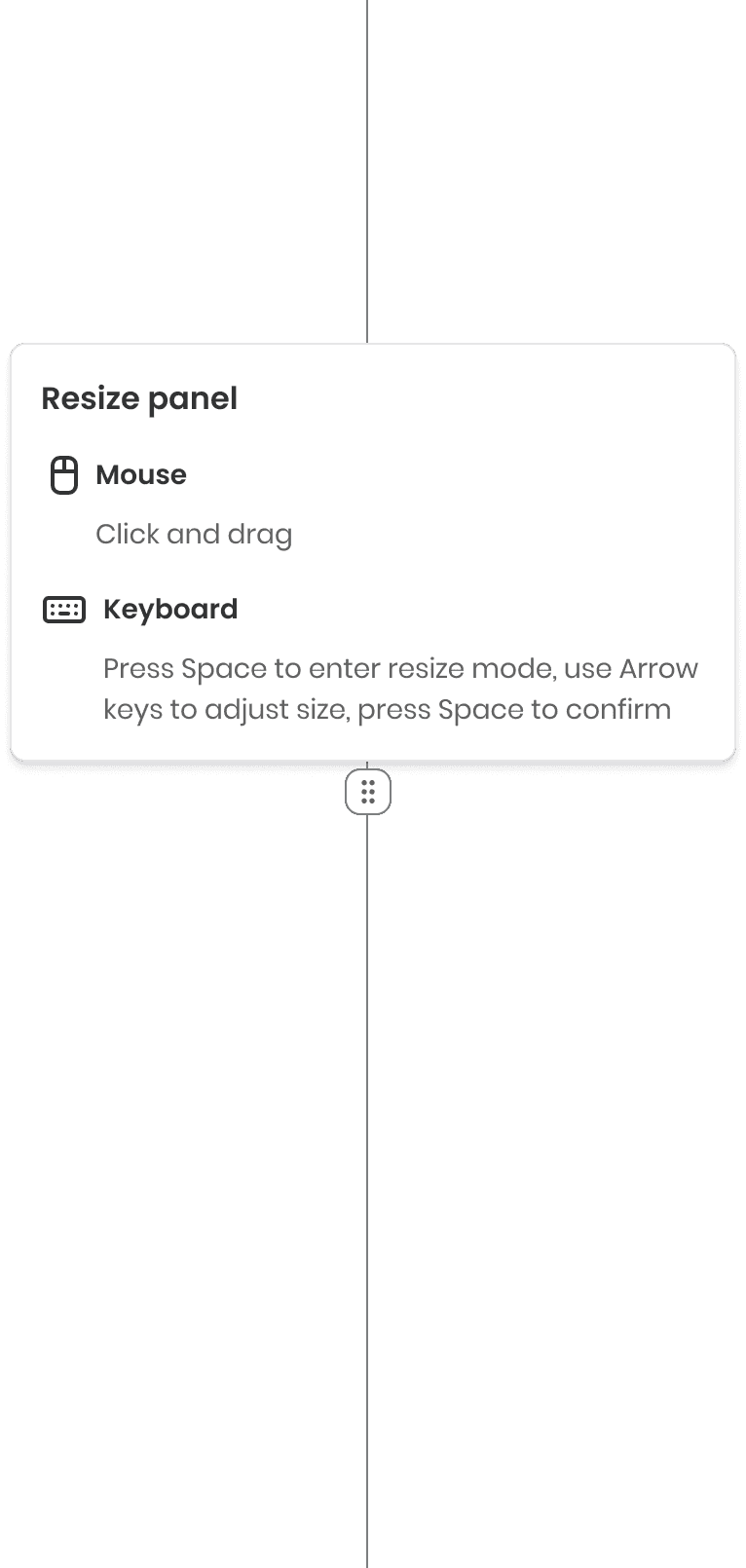
Drag handle with tooltip
THE FINAL REFLECTIONS
Takeaways
Workflow-first design drives real impact — Fragmentation across tools, not missing features, was the primary source of inefficiency. Designing around the end-to-end case manager workflow reduced cognitive load and improved clarity.
Co-design accelerates alignment and trust — Ongoing collaboration with clinicians, engineers, and product partners ensured solutions reflected real workflows and technical constraints.
Systems thinking is essential in enterprise healthcare — Meaningful impact required designing across products, data, and governance—not isolated screens.
“See, this is what we've been looking for— it just does what it needs to do. I can focus on my task without ever thinking about the tech.”
CARE MANAGER | MARY HARPER
Next steps
Expand the solution beyond case managers to support additional clinical and operational roles.
Support adoption at scale by translating learnings into reusable principles and onboarding guidance for designers and teams.
Enable a phased transition from legacy experiences to the new template, allowing teams to migrate incrementally without disrupting active workflows.
THE FINAL REFLECTIONS
Takeaways
Workflow-first design drives real impact — Fragmentation across tools, not missing features, was the primary source of inefficiency. Designing around the end-to-end case manager workflow reduced cognitive load and improved clarity.
Co-design accelerates alignment and trust — Ongoing collaboration with clinicians, engineers, and product partners ensured solutions reflected real workflows and technical constraints.
Systems thinking is essential in enterprise healthcare — Meaningful impact required designing across products, data, and governance—not isolated screens.
“See, this is what we've been looking for— it just does what it needs to do. I can focus on my task without ever thinking about the tech.”
CARE MANAGER | MARY HARPER
Next steps
Expand the solution beyond case managers to support additional clinical and operational roles.
Support adoption at scale by translating learnings into reusable principles and onboarding guidance for designers and teams.
Enable a phased transition from legacy experiences to the new template, allowing teams to migrate incrementally without disrupting active workflows.


