FOUNDING DESIGNER
Designing an AI-Driven Meal Planning System to Reduce Household Food Waste
AI tools could generate endless recipes, but planning remained disconnected from real cooking habits. At Mealify, an AI startup, I designed a mobile app that integrated pantry intelligence and adaptive planning to reduce waste and support sustainable cooking routines.

FOUNDING DESIGNER
Designing an AI-Driven Meal Planning System to Reduce Household Food Waste
AI tools could generate endless recipes, but planning remained disconnected from real cooking habits. At Mealify, an AI startup, I designed a mobile app that integrated pantry intelligence and adaptive planning to reduce waste and support sustainable cooking routines.
FOUNDING DESIGNER
Designing an AI-Driven Meal Planning System to Reduce Household Food Waste
AI tools could generate endless recipes, but planning remained disconnected from real cooking habits. At Mealify, an AI startup, I designed a mobile app that integrated pantry intelligence and adaptive planning to reduce waste and support sustainable cooking routines.
THE PROBLEM
Context
Food waste remains a significant issue in the U.S., with 30–40% of food going uneaten annually.
While AI-powered recipe generation has made inspiration abundant, planning remains detached from household contexts — leading to unused ingredients, repeated purchases, and avoidable waste.
“I want to feed my kids well, but by the end of the day I’m too exhausted to plan—and food ends up going to waste.”

SINGLE DAD | JAMES
THE PROBLEM
Context
Food waste remains a significant issue in the U.S., with 30–40% of food going uneaten annually.
While AI-powered recipe generation has made inspiration abundant, planning remains detached from household contexts — leading to unused ingredients, repeated purchases, and avoidable waste.
“I want to feed my kids well, but by the end of the day I’m too exhausted to plan—and food ends up going to waste.”
SINGLE DAD | JAMES
THE PROBLEM
Context
Food waste remains a significant issue in the U.S., with 30–40% of food going uneaten annually.
While AI-powered recipe generation has made inspiration abundant, planning remains detached from household contexts — leading to unused ingredients, repeated purchases, and avoidable waste.
“I want to feed my kids well, but by the end of the day I’m too exhausted to plan—and food ends up going to waste.”
SINGLE DAD | JAMES


THE RESEARCH
Methods
Methods
Early engagement with recipe generation was strong, yet consistent meal follow-through remained low. To understand the gap between inspiration and action, I conducted a survey with 20+ participants focused on real-world planning behaviors, time constraints, and household variability. The goal was to identify why existing tools failed to translate intent into consistent cooking.
Early engagement with recipe generation was strong, yet consistent meal follow-through remained low. To understand the gap between inspiration and action, I conducted a survey with 20+ participants focused on real-world planning behaviors, time constraints, and household variability. The goal was to identify why existing tools failed to translate intent into consistent cooking.
Insights
Insights
Meal planning challenges stemmed not from a lack of inspiration, but from a misalignment between existing tools and how people actually plan — inconsistent habits, low pantry visibility, and cognitive overload at the end of the day. Rather than positioning AI solely as a recipe generator, we expanded its role to support pantry visibility and adaptive planning — helping users translate recipe generation into consistent action and habit formation.
Meal planning challenges stemmed not from a lack of inspiration, but from a misalignment between existing tools and how people actually plan — inconsistent habits, low pantry visibility, and cognitive overload at the end of the day. Rather than positioning AI solely as a recipe generator, we expanded its role to support pantry visibility and adaptive planning — helping users translate recipe generation into consistent action and habit formation.
THE APPROACH
Designing for behavioral flexibility
I mapped user decisions across the full meal lifecycle — planning, cooking, and shopping — to ensure flexibility across changing habits, time constraints, and lifestyles. By accounting for edge cases and mode-switching (weekly planning vs. day-of decisions), the experience reduced friction when real life disrupted ideal routines.
Finding 1 of 3


THE APPROACH
Designing for behavioral flexibility
I mapped user decisions across the full meal lifecycle — planning, cooking, and shopping — to ensure flexibility across changing habits, time constraints, and lifestyles. By accounting for edge cases and mode-switching (weekly planning vs. day-of decisions), the experience reduced friction when real life disrupted ideal routines.
Finding 1 of 3
THE APPROACH
Designing for behavioral flexibility
I mapped user decisions across the full meal lifecycle — planning, cooking, and shopping — to ensure flexibility across changing habits, time constraints, and lifestyles. By accounting for edge cases and mode-switching (weekly planning vs. day-of decisions), the experience reduced friction when real life disrupted ideal routines.
Strategy 1 of 3
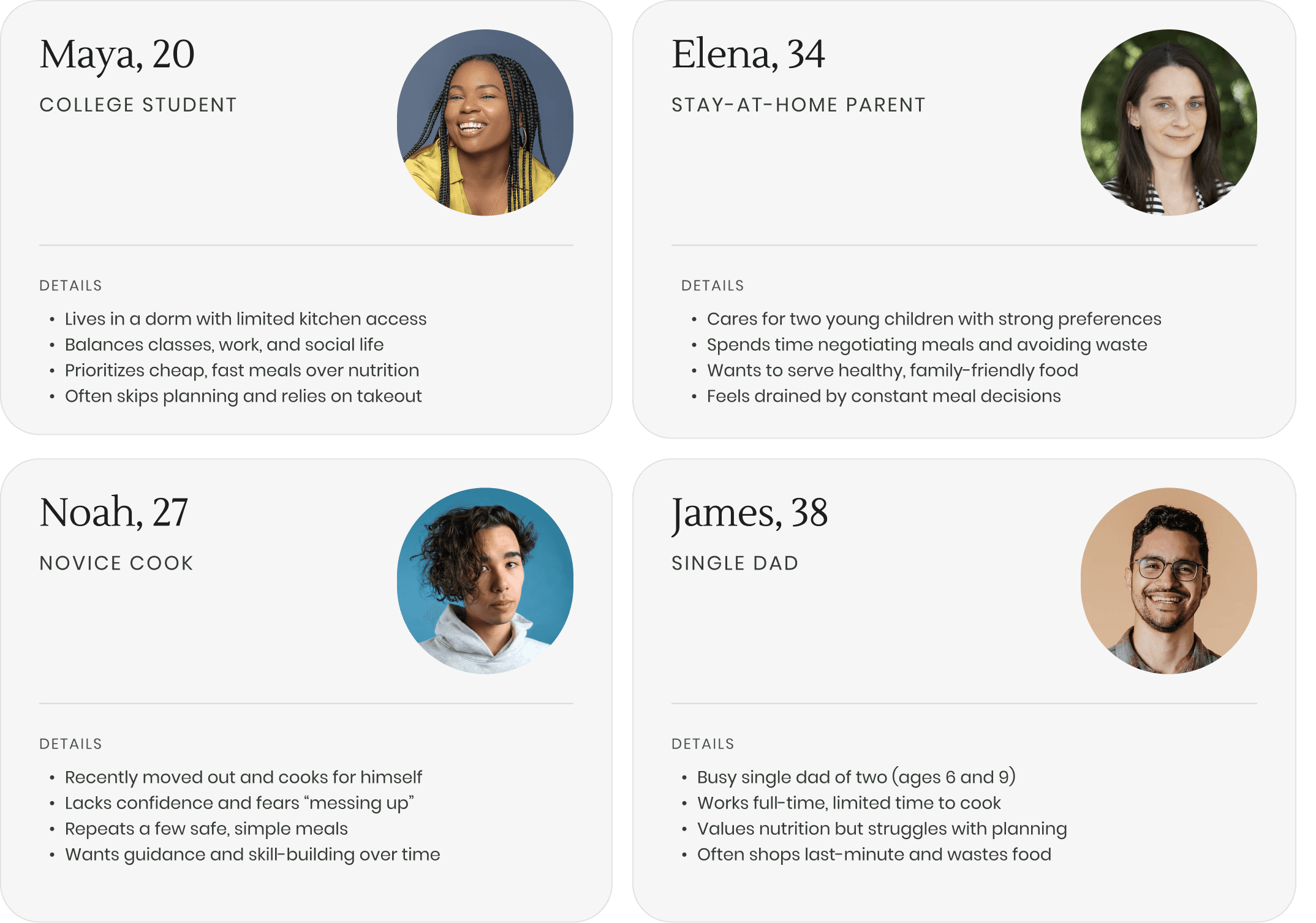
Personas used to guide design decisions
Partnered with nurses, directors, and administrators to co-create solutions—testing iterations weekly and establishing standardized UI templates and patterns to ensure designs stayed aligned to real clinician workflows.
Strategy 2 of 3
Low-stimulation user interface
Partnered with nurses, directors, and administrators to co-create solutions—testing iterations weekly and establishing standardized UI templates and patterns to ensure designs stayed aligned to real clinician workflows.
Strategy 3 of 3

THE SOLUTION
ONBOARDING
Feature 1 of 6
1.
Make getting started easy
In under two minutes, James answers ten focused questions that tailor recipes and planning to his life as a busy single dad.
ITERATION FROM TESTING
Testing showed users felt a 15-question onboarding was too heavy upfront. The flow was reduced to 10 essentials, with remaining preferences collected gradually and editable anytime in Settings > Preferences.
ONBOARDING
Feature 1 of 6
Make getting started easy
In under two minutes, James answers ten focused questions that tailor recipes and planning to his life as a busy single dad.
ITERATION FROM TESTING
Testing showed users felt a 15-question onboarding was too heavy upfront. The flow was reduced to 10 essentials, with remaining preferences collected gradually and editable anytime in Settings > Preferences.
PANTRY SETUP
Feature 2 of 6
2.
Flexible pantry setup
James can scan his pantry via photo to minimize manual input, or move through categories at his own pace. Smart follow-ups reduce common omissions — shortening setup time while preserving accuracy.
ITERATION FROM TESTING
Early testing showed users felt overwhelmed when large item lists appeared without context. Adding a visible time estimate upfront clarified commitment and reduced hesitation, making it easier to begin and complete setup.
PANTRY SETUP
Feature 2 of 6
Flexible pantry setup
James can scan his pantry via photo to minimize manual input, or move through categories at his own pace. Smart follow-ups reduce common omissions — shortening setup time while preserving accuracy.
ITERATION FROM TESTING
Early testing showed users felt overwhelmed when large item lists appeared without context. Adding a visible time estimate upfront clarified commitment and reduced hesitation, making it easier to begin and complete setup.
PANTRY CHECK
Feature 3 of 6
3.
Proactive pantry visibility
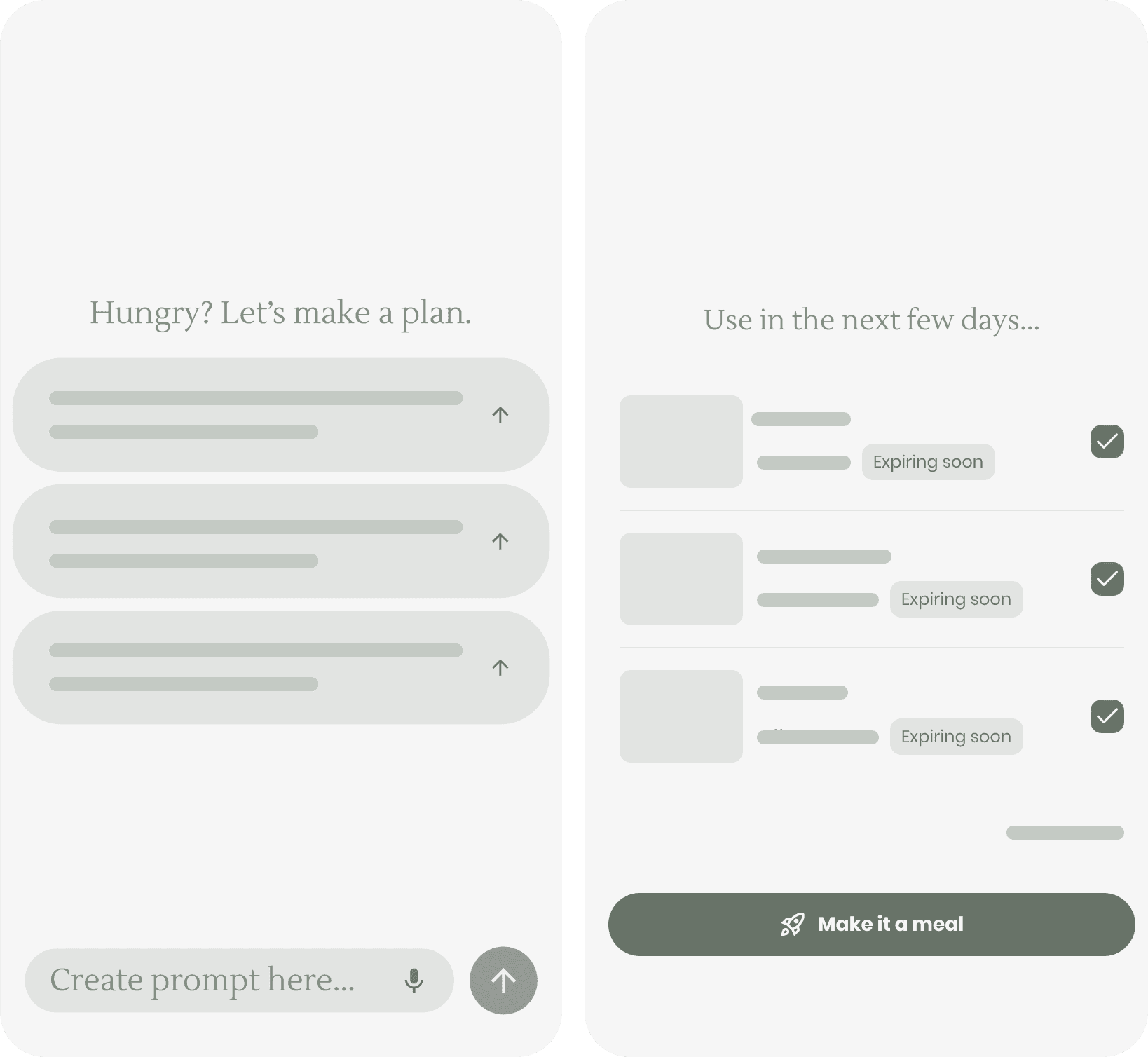
When James returns, Pantry Check highlights ingredients nearing expiration and suggests simple recipes to use them. Inventory becomes an active input into planning rather than a passive list.
ITERATION FROM TESTING
Users struggled to track what they owned. Pairing expiration cues with actionable suggestions reduced reliance on memory and encouraged ingredient utilization.
PANTRY CHECK
Feature 3 of 6
Proactive pantry visibility
When James returns, Pantry Check highlights ingredients nearing expiration and suggests simple recipes to use them. Inventory becomes an active input into planning rather than a passive list.
ITERATION FROM TESTING
Users struggled to track what they owned. Pairing expiration cues with actionable suggestions reduced reliance on memory and encouraged ingredient utilization.
RECIPES & COOKING MODE
Feature 4 of 6
4.
Context-aware cooking experience
James’ recipe experience adapts to his preferences, time, and pantry, with filters for cuisine and ingredient availability. When cooking, steps are presented one at a time with large text and voice support—making it easy to follow hands-free.
ITERATION FROM TESTING
Mid-recipe interaction proved difficult with messy hands. Voice support was introduced to maintain flow without interrupting concentration.
RECIPES & COOKING MODE
Feature 4 of 6
Context-aware cooking experience
James’ recipe experience adapts to his preferences, time, and pantry, with filters for cuisine and ingredient availability. When cooking, steps are presented one at a time with large text and voice support—making it easy to follow hands-free.
ITERATION FROM TESTING
Mid-recipe interaction proved difficult with messy hands. Voice support was introduced to maintain flow without interrupting concentration.
PLANNER
Feature 5 of 6
5.
Adaptive weekly planning
James can manually build his week or use Auto-Generate to create a starting plan based on pantry and preferences. Meals can be rearranged easily as schedules shift, preserving flexibility.
ITERATION FROM TESTING
Testing showed users often skipped planning when starting felt too heavy or plans felt too rigid. Auto-Generate creates a starting point, while drag-and-drop keeps plans easy to adjust as schedules change.
PLANNER
Feature 5 of 6
Adaptive weekly planning
James can manually build his week or use Auto-Generate to create a starting plan based on pantry and preferences. Meals can be rearranged easily as schedules shift, preserving flexibility.
ITERATION FROM TESTING
Testing showed users often skipped planning when starting felt too heavy or plans felt too rigid. Auto-Generate creates a starting point, while drag-and-drop keeps plans easy to adjust as schedules change.
SHOPPING LIST
Feature 6 of 6
6.
Seamless Plan-to-Shop-to-Pantry Flow
James’ Shopping List auto-builds from his weekly plan and syncs back to the Pantry as items are checked off. An optional Shopping Mode simplifies the interface for in-store use.
ITERATION FROM TESTING
Testing showed users struggled to stay focused while shopping in-store. An optional Shopping Mode was added with larger text, section-by-section flow, and a final checklist to prevent missed items.
SHOPPING LIST
Feature 6 of 6
Seamless Plan-to-Shop-to-Pantry Flow
James’ Shopping List auto-builds from his weekly plan and syncs back to the Pantry as items are checked off. An optional Shopping Mode simplifies the interface for in-store use.
ITERATION FROM TESTING
Testing showed users struggled to stay focused while shopping in-store. An optional Shopping Mode was added with larger text, section-by-section flow, and a final checklist to prevent missed items.
THE FINAL REFLECTIONS
Takeaways
Intelligent suggestions outperformed open-ended planning. Providing intelligent meal plans based on existing ingredients and user routines reduced cognitive load, increasing initiation and follow-through.
Flexibility beats perfection. Auto-generated plans paired with simple overrides better reflected real-life variability, preventing abandonment when schedules shifted.
Context-aware design improves usability. Designing for high-friction moments — messy hands while cooking, distraction while shopping — improved usability in real-world environments.
"Even when I’m exhausted, dinner’s already figured out — and we’re not wasting food.”
SINGLE DAD | JAMES
Next steps
Validate long-term habit formation. Measure whether reduced planning friction leads to sustained weekly use over 8–12 weeks. Identify drop-off points in follow-through beyond initial novelty, beyond pilot.
Optimize automation vs. customization. A/B test varying levels of suggestion narrowing to determine the optimal balance between autonomy and customization.
Reinforce habit formation through measurable incentives. Test whether tying weekly planning to tangible outcomes — such as dollars saved or ingredients utilized — increases 4–8 week retention and planning consistency.
THE FINAL REFLECTIONS
Takeaways
Intelligent suggestions outperformed open-ended planning. Providing intelligent meal plans based on existing ingredients and user routines reduced cognitive load, increasing initiation and follow-through.
Flexibility beats perfection. Auto-generated plans paired with simple overrides better reflected real-life variability, preventing abandonment when schedules shifted.
Context-aware design improves usability. Designing for high-friction moments — messy hands while cooking, distraction while shopping — improved usability in real-world environments.
"Even when I’m exhausted, dinner’s already figured out — and we’re not wasting food.”
SINGLE DAD | JAMES
Next steps
Validate long-term habit formation. Measure whether reduced planning friction leads to sustained weekly use over 8–12 weeks. Identify drop-off points in follow-through beyond initial novelty, beyond pilot.
Optimize automation vs. customization. A/B test varying levels of suggestion narrowing to determine the optimal balance between autonomy and customization.
Reinforce habit formation through measurable incentives. Test whether tying weekly planning to tangible outcomes — such as dollars saved or ingredients utilized — increases 4–8 week retention and planning consistency.


